Messaging rules starter
Broadcast authority, role routing, and coordination handoffs by incident type.
Operational playbooks
Policy binders are necessary; they are not sufficient. These workflows give your team sample language and follow-up ideas you can adapt to your campus, then apply to real scenarios you already train for. Layer TEXT on top when you want duty state and broadcast discipline without inventing a new app culture.
This page = SMS demos. For narrative playbook notes without phone UI, start at use cases. Watchlist governance and screenshots: watchlist access control.
These templates are starting points, not substitutes for local legal, insurance, or pastoral guidance. They are written to match real Sanctuary Signal
SMS behavior: on-duty check-in, direct messaging by saved name, team broadcasts, and role routing such as @MEDIC or @LEO where
enabled.
Each workflow below lists a realistic church safety scenario, sample text-message exchanges, and a follow-up idea. Replace sample names and locations with your team's roster and campus language. The goal is not to script every incident, but to give your team short, repeatable wording that works in live SMS coordination.
Important: CHECKIN is like clocking in for your shift - one text to mark yourself active on duty. It is not the same as a
location update like "im at childrens wing."
Examples below use sample roster names from Sanctuary Signal demo mode. Replace names like @Sam, @Mia, or @Lee with
the actual teammates saved in your roster.
Think of CHECKIN as punching in for the shift. After that, use normal short texts for where you are posted and what you need.
@Sam = Sam Supervisor@Mia = Mia Medic (Paramedic skill)@Dr House = Doctor-level medical responder@Band Aid = Basic first-aid responder@Lee = Law enforcement responder@Alex and @Casey = general team membersCHECKIN clocks you in on duty; it is not a location update command
Keywords vs human messages: System commands include CHECKIN, STATUS, HELP, and ?.
@Name, @ALL, @MEDIC, and @LEO are routing patterns. Plain replies and coordination text are normal
SMS once someone is on duty. Some routing behavior depends on admin settings.
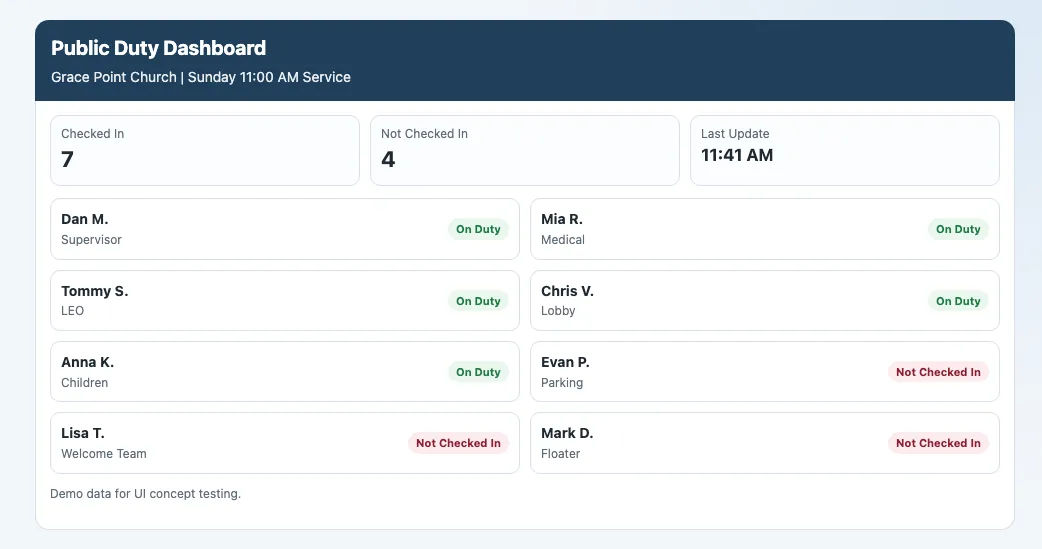
Confirm staffing before doors open and let the supervisor quickly spot coverage gaps.
The story moves between three phones. Pick a volunteer to see only what appears on their screen. Lee is on the roster but has no texts in this opening beat.
Click a team member name to switch screens.
This is the intended Sanctuary Signal pattern: volunteers first mark themselves on duty with CHECKIN, then use direct messages for assignments
and handoffs. Supervisors can use STATUS to see who is available before shifting coverage.
Get the right medical help moving fast without over-texting the whole team.
Who is involved: Alex (reporting), Sam (Supervisor), and Mia (Paramedic).
Follow Alex's request, Sam's skill review, and Mia's dispatch on three phones.
This example assumes member @MEDIC requests are routed to the on-duty supervisor for review and skill-based dispatch. See
medical incident use case.
Share observations fast, compare against known concerns, and escalate only when needed.
Who is involved: Casey or Alex (observer), Sam (Supervisor), Lee (LEO if assigned).
Follow the thread on Casey's, Sam's, and Lee's phones through WATCHLIST and @LEO escalation.
Previously involved in heated dispute with pastor over counseling matter; returned multiple times attempting to reinitiate confrontation.
Opened library and viewed Kevin Doyle entry and photos
Tapped Ask supervisor on the selected entry
Watchlist Module (Suspicious Person Watch) is an optional TEXT add-on. Casey's in-thread watchlist card and Sam's alert above mirror the field flow on watchlist access control. Narrative context: BOLO use case · add-on details. Keep BOLO messages observational: location, clothing, direction, behavior.
Handle blocked lanes or vehicle concerns without tying up the whole team.
Who is involved: Casey (parking lot observer), Sam (Supervisor), and Lee (LEO).
Direct messages to Sam, then @LEO when the lane stays blocked.
Follow-up: Facilities signage update or Sunday logistics change for next week. See parking lot escalation.
Route children's area concerns to leadership and security without over-alerting the whole team.
Who is involved: Karen (children's check-in), Sam (Supervisor), Casey (responding team member), and Sally (children's lead).
Direct-message handoff from Karen to Sam, Sam assigns Casey, then Sam forwards Casey's reply for Sally's awareness.
Use direct-name messages when the right responder is already known. Reserve @ALL for wider team coordination. See
children's area incident.
Coordinate immediate search actions without public speculation.
Who is involved: Karen (reporting), Sam (Supervisor), Casey (exit coverage), and Alex (lobby coverage).
Private report to Sam, then a short @ALL assignment with exit coverage replies.
This is one of the better uses of @ALL: short, clear, assignment-oriented, and time-sensitive.
Keep protective actions short, authoritative, and easy to relay.
Who is involved: Sam (Supervisor), Casey (ushers), Alex (glass entry watch), and Mia (medical readiness).
Sam sends one short @ALL; checked-in teammates reply with quick copies.
Follow-up: Facilities inspection, insurance documentation, and volunteer recognition as your policy requires.
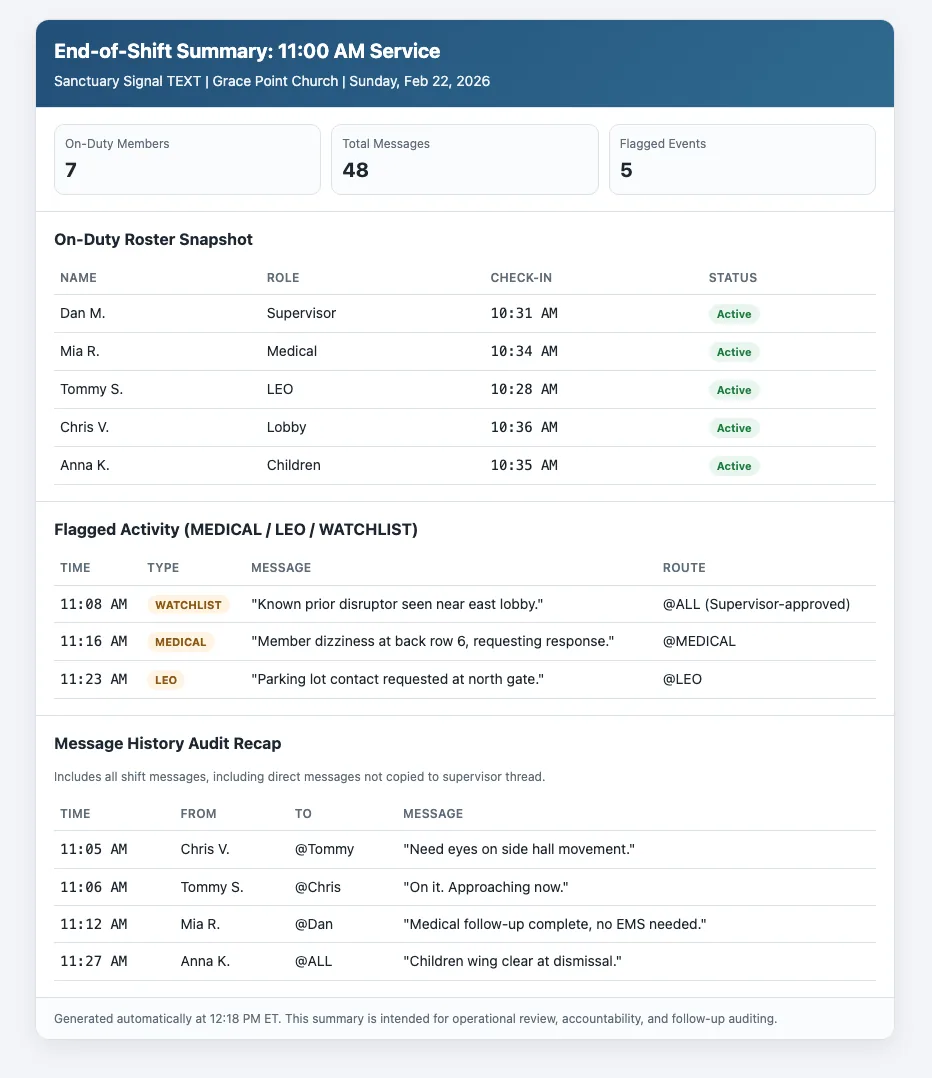
When the last volunteer checks out, supervisors receive a structured recap: who was on duty, which keywords fired, and the message timeline leadership can review without digging through personal phones. The goal is calm accountability, not surveillance.
Pair this template habit with your end-of-shift accountability guide so finance, insurance, and pastoral follow-up know where to look after Sunday.
Broadcast authority, role routing, and coordination handoffs by incident type.
CHECKIN confirmation, zone assignments, and supervisor handoff points.
Medical, BOLO, children's area, parking lot, and perimeter workflows.
No. They are starting points your church should adapt with legal, insurance, and pastoral guidance.
These examples reflect real Sanctuary Signal patterns: CHECKIN for on-duty status, STATUS to see active teammates,
@Name for direct messages, @ALL for explicit team-wide broadcasts, and role-routing such as @MEDIC or
@LEO when enabled by your team settings.
Reply HELP or ? from your phone for the live command list.
Then structure them inside Sanctuary Signal for Sunday operations.